
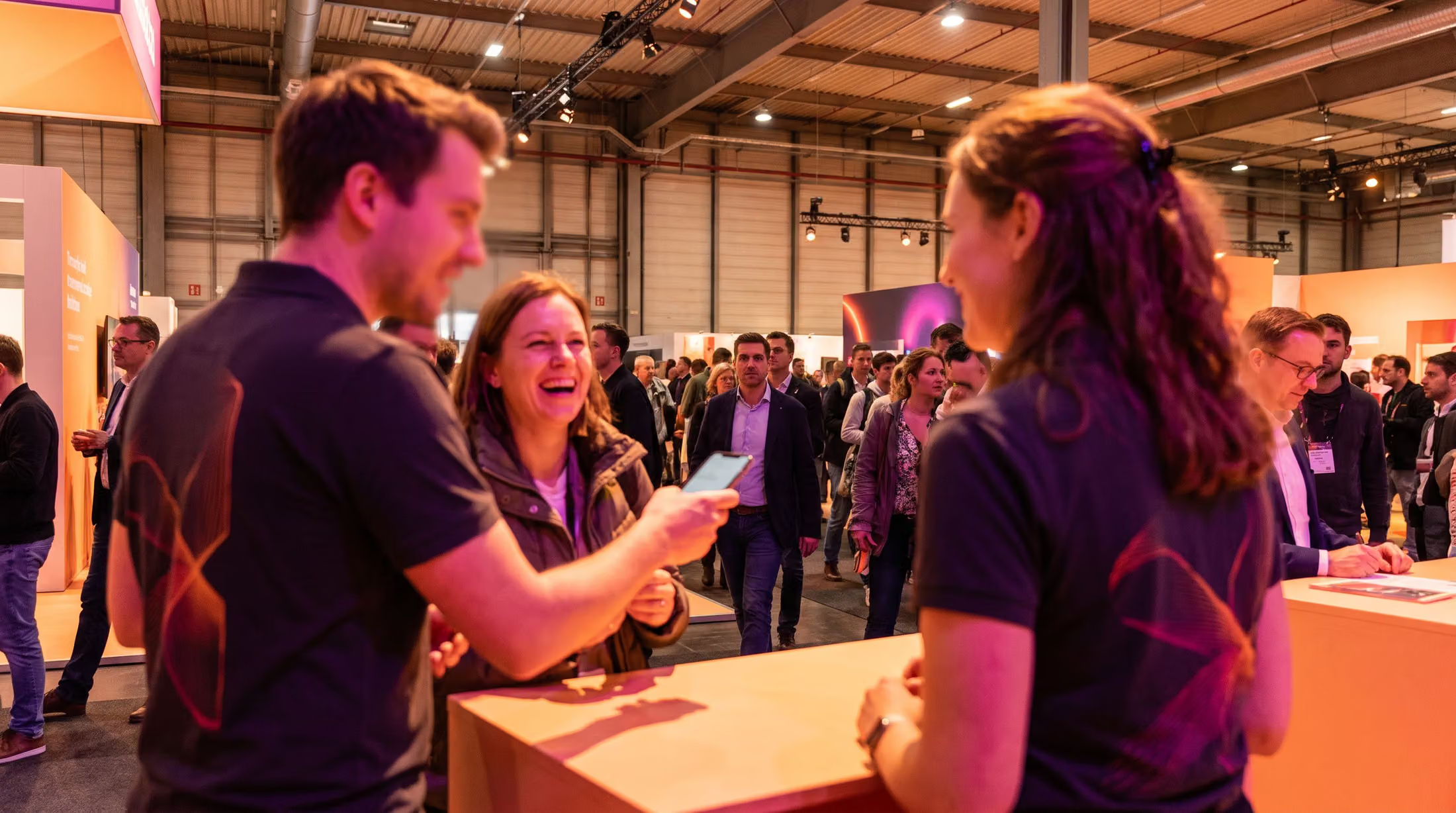
Every conversation on the floorbecomes a lead your team can act on.
Pixl Leads is not a badge scanner. Your staff capture a lead on their own phone in about twenty seconds, and it saves whether or not there is a signal at the event. Attendees who would rather do it themselves scan the code on your banner, and a voice note keeps the conversation while it is fresh. By the next morning every lead is verified, scored and waiting in a list your sales team can work.
Pixl Leads has run at real events since 2025. At one consumer show in Las Vegas, more than a third of the people who stopped at a single booth opted in on their own phones.
By the morning after, every lead is verified, scored and ready for your rep to call
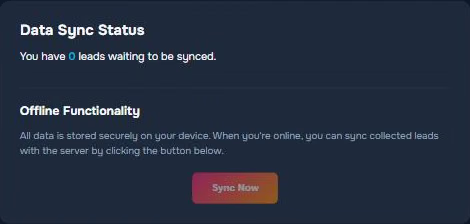
Your staff keep capturing when the network drops at the event
Follow one visitor from the handshake to the phone call on Tuesday. The network at the event gives out halfway through, and the form keeps filling because it is writing to the phone and not to the venue. The voice note records, four leads wait on the device, and the moment a bar of signal comes back they sync, get verified and scored, and arrive with the follow-up already written.
Your staff and your banner both collect leads
Your team captures the conversations they have, and a QR code on the banner picks up the people who walk past while they are busy. One booth runs both at the same time. Nothing gets installed on anybody's phone.
Staff capture
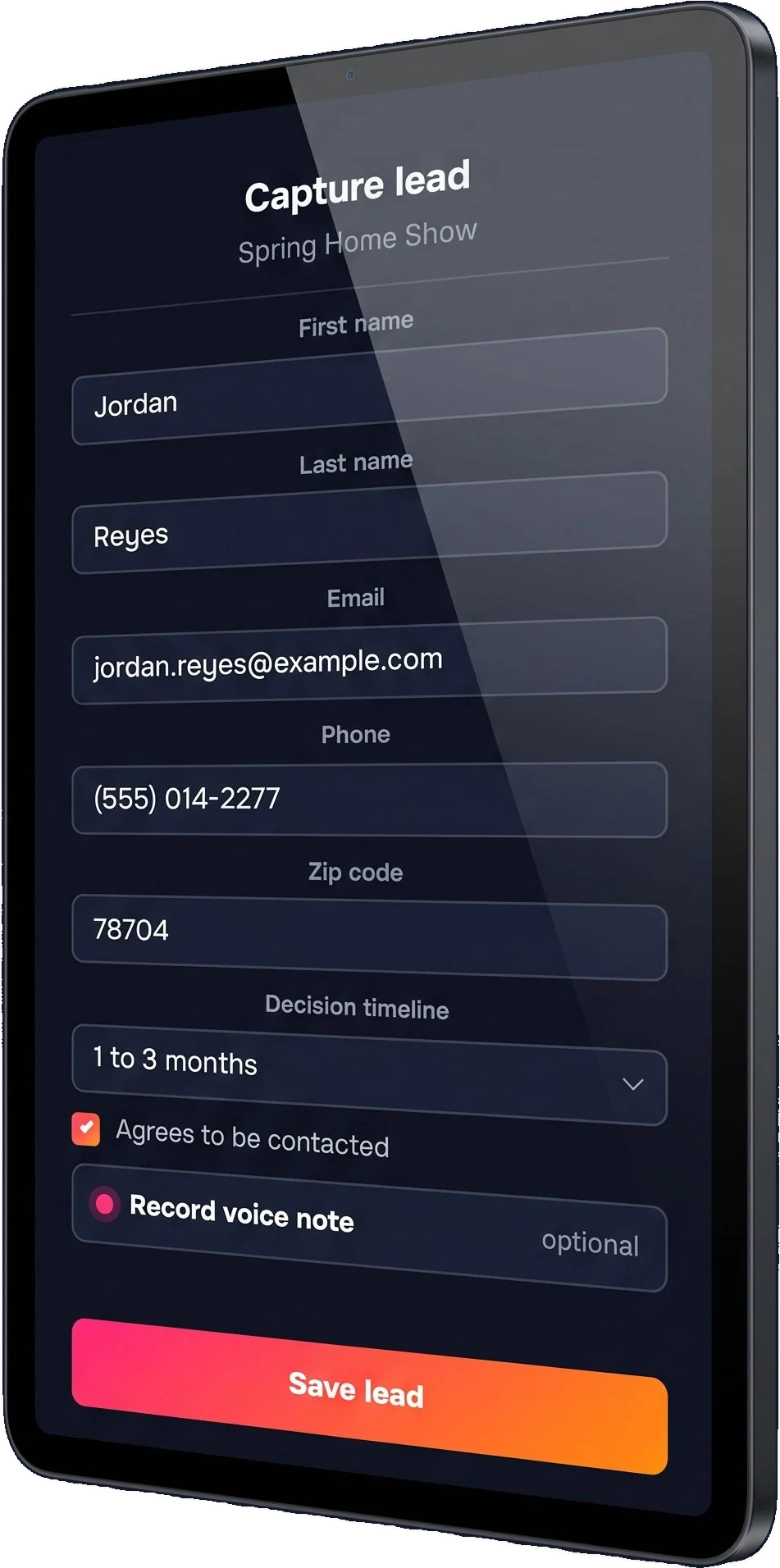
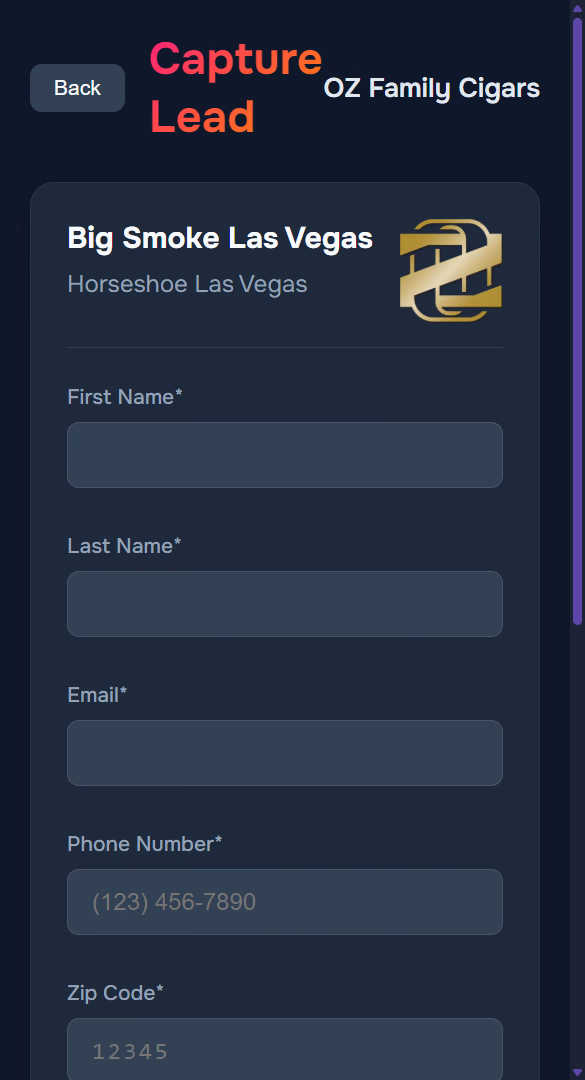
A staffer fills five fields and presses Record on whatever phone is in their pocket, so temporary staff need no training at all.
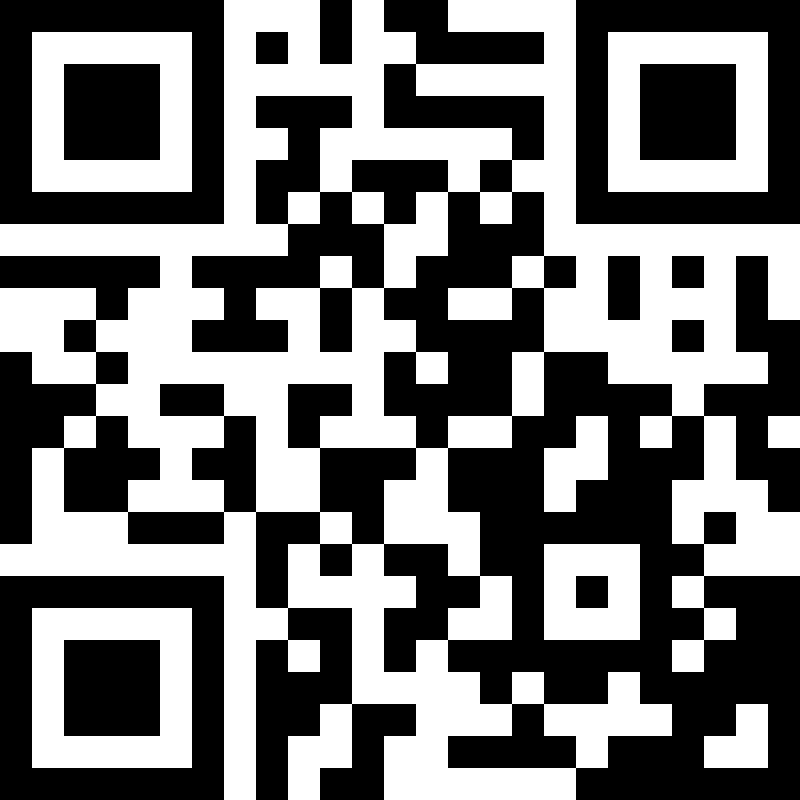 Scan to sign upBooth 2
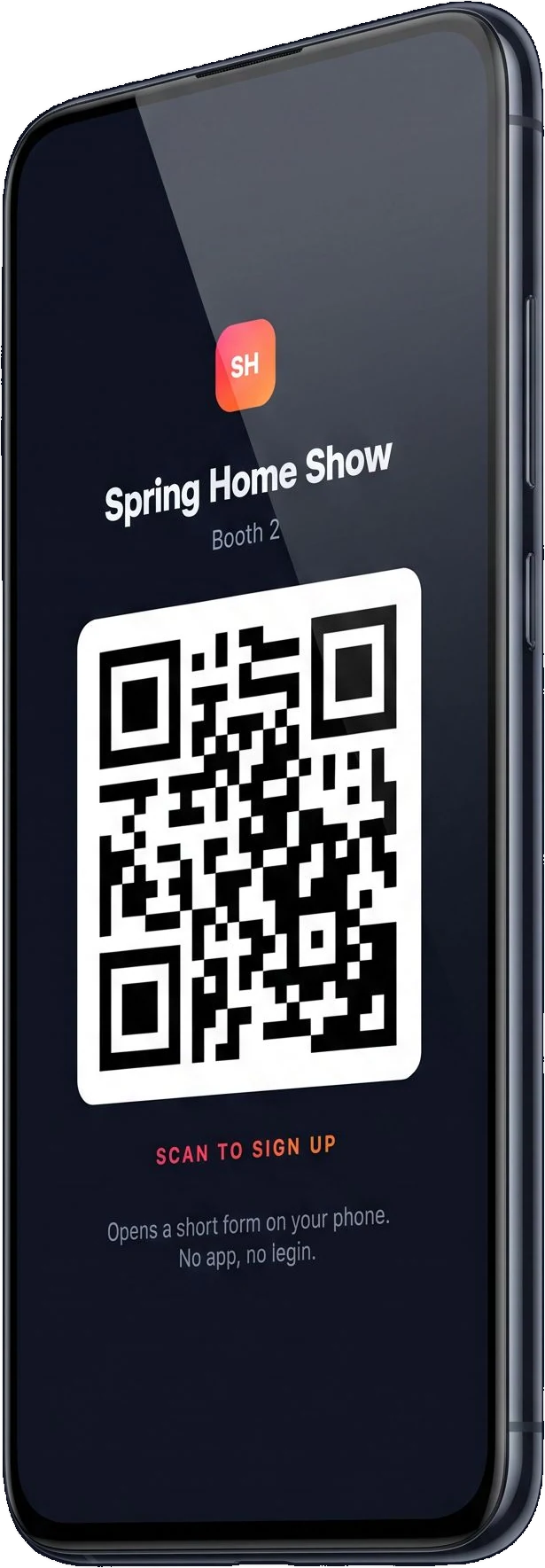
One QR code covers a booth
You make a form public and download its code for screens and for print. The code never changes and it never expires, so last year's banner still works.
Attendees opt in on their own
They get a short form in your branding on their own phone, and the consent box comes with it. There is no app to install, no login, and nobody from your team standing over them while they type.
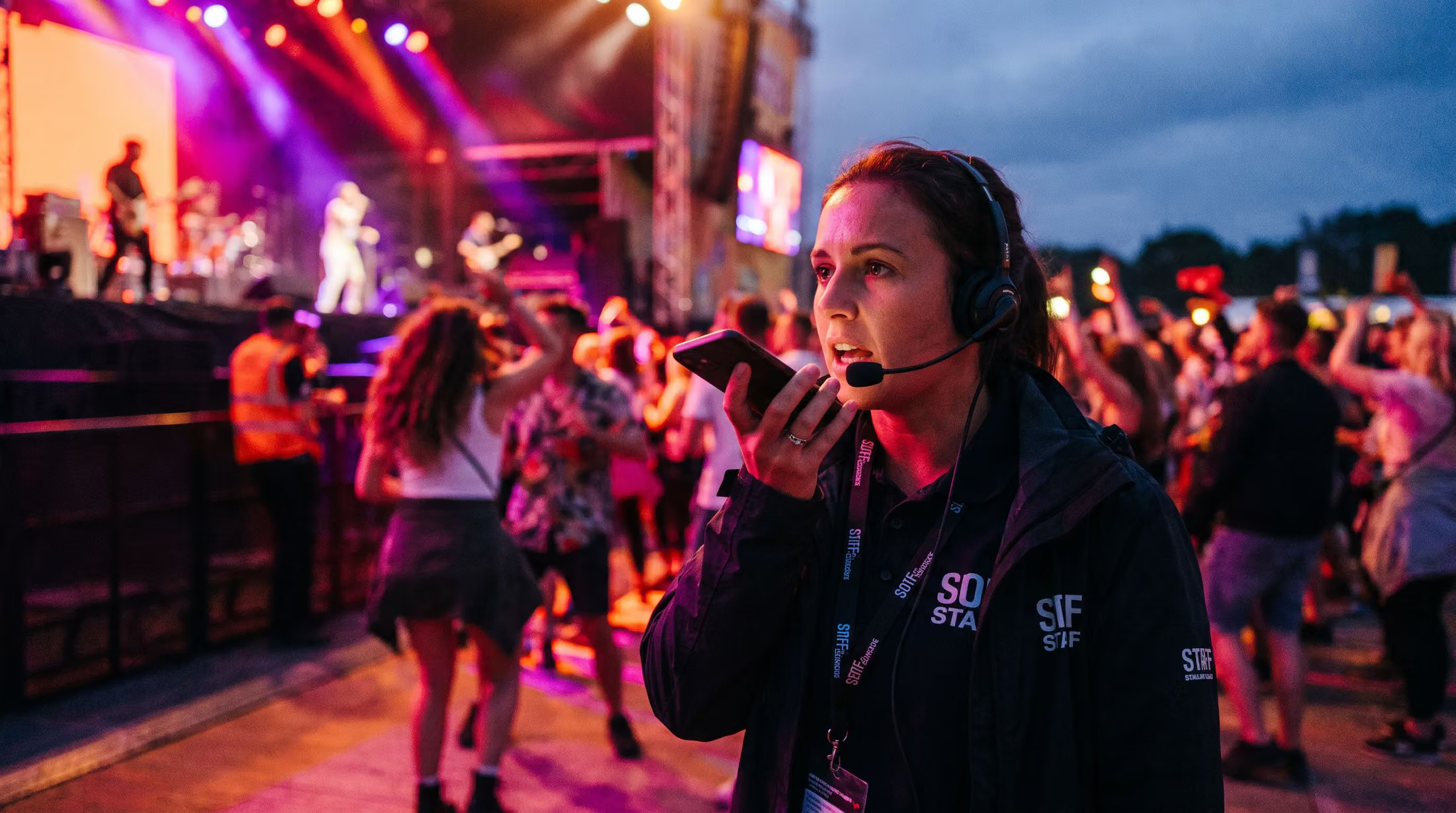
A voice note keeps the conversation while it is fresh
At an event too loud to type, a staffer taps Record and says a few sentences about the conversation they just had: what the person asked about, how serious they sounded, what to follow up on. The note is attached to that lead and kept on the device like everything else. Back at the office it plays back at up to double speed, and it is transcribed, so the enrichment and the drafted email reflect what the person actually said at the booth. You can switch it on for your staff, for attendees, or for both.
The morning after arrives in four screens
The list, worked before it leaves
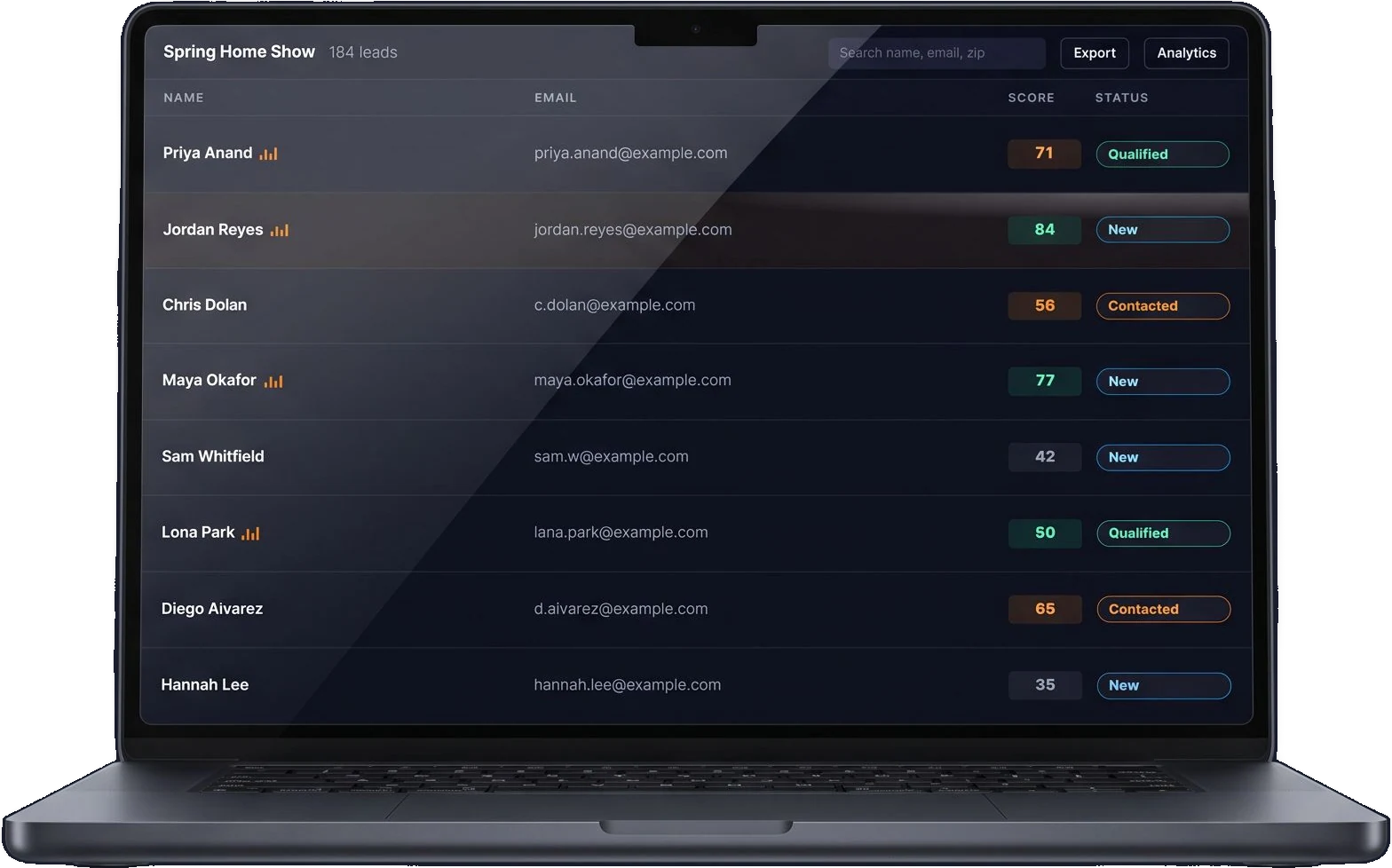
Each event keeps its own lead list, with sortable columns, instant search, a score and a status on every row and the voice note one click away. Because the CRM is built in, your team works the list before anyone exports it anywhere.
Enrich checks the contact and writes the email
You press Enrich and the contact gets checked: the email has to be deliverable, the phone has to be valid, the identity has to match. The score comes from those facts rather than a guess. Then the write-up arrives, with who the person is, what they will push back on, what to do next and an email you can copy.
Thirty conversations, reviewed before the first call
Each voice note plays back at up to double speed with its transcript beside it, and notes save themselves as your rep types. Statuses change in the row or in the record. A rep gets through a whole list in a few minutes and calls the top scores first.
Your list leaves in one click
The CSV carries every lead and every field, including the scores, the statuses, the notes and the insights, and it drops into the CRM or the email platform you already pay for. Clean the list up in a spreadsheet, re-import it, and matching leads update instead of doubling.

The report shows your sponsors what the event produced
Every event gets its own numbers: how many leads came in, how they arrived day by day, how many carry a voice note, what status each one sits at and how the scores spread out. A chart shows the hours the booth was busiest, which settles the staffing question for next year. A sponsorship renewal is an easier conversation when the value is a number you can point at.
These figures come from the product's own analytics for OZ Family Cigars at Big Smoke Las Vegas. They are a family brand with one booth and a QR code on the table, and they are not a ticketing client of ours.
It works wherever your team talks to people
Consumer shows, conferences, festivals, rallies, game days and open houses all run on the same thing: a floor, a booth and a conversation somebody needs to remember. Pixl Leads works in all of them, with a signal or without one, next to whatever you sell tickets on.
 RVSix booths, two hallsOne code and one list per booth62
Consumer shows and expos
A dealer group at an RV, boat, car or home show runs a booth in more than one spot. Each booth gets its own QR code and its own lead list, and your sales manager can see which booth and which hours produced.
 FSampling activationNo signal all weekend, synced Monday88
Festivals and brand activations
A street team works a weekend of product samples with no signal anywhere on site. Everything syncs on Monday morning, and the heatmap shows the activation peaked between 6 and 8 PM.
 RRally groundsVoice note: two bikes, renews in March79
Rallies and outdoor grounds
Your reps walk the grounds and keep each conversation as a short voice note. It all uploads back at the hotel, verified, with a follow-up drafted for each rider.
 CSponsor boothReport to the sponsor on Monday67
Conferences and sponsors
You hand every sponsor a Pixl Leads account as part of the package, and they leave with a report instead of a bowl of business cards.
 SSeason ticket interestSeating preference in the voice note91
Teams, venues and promoters
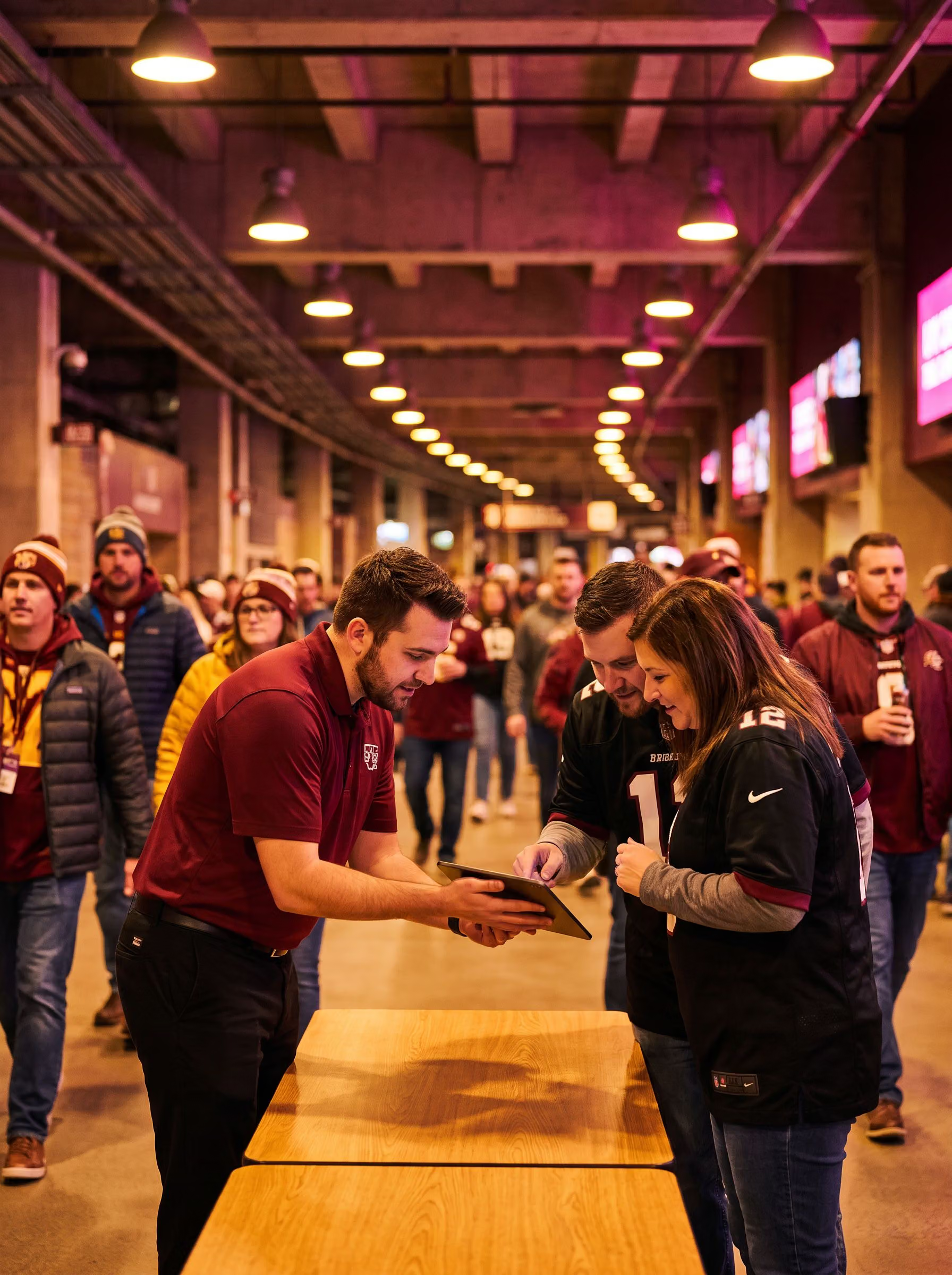
You pick up membership and season ticket interest at a concourse table, fan details at the box office and the merch stand, and VIP interest at the door.
 HOpen houseDate, headcount and budget captured83
Hotels and open houses
Every couple and every planner who walks through leaves a voice note about the date, the headcount and the budget. The drafted follow-up goes out that evening.
We get you live in a day or two
There is no self-serve signup and there is no credit card form. As your partner, we set up your account, your branding and your first forms, and then we stay on email with you through the event itself. All you supply is a logo, the name of the event and staff with the phones they already carry.
We talk it through in one call
We go through the event, the number of booths, what you want to capture and your logo. Your branded account is created the same day.
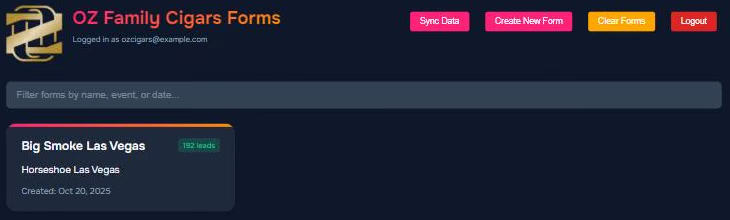
You get forms and QR codes
There is one form per event, booth or activation. Switch on the optional fields and public QR access, then download the codes for screens and for print.
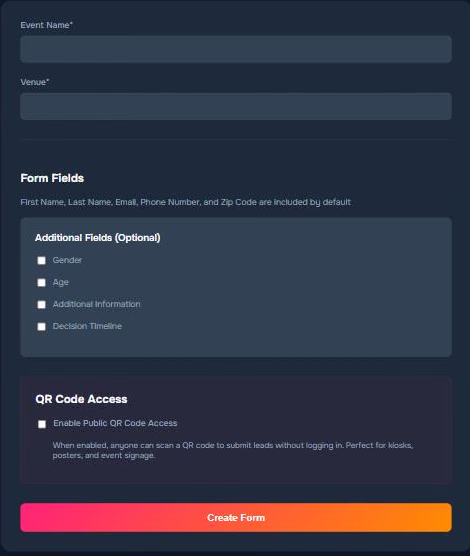
Your team works the floor
Your staff sign in on their own phones and start capturing, attendees scan and opt in, and everything saves to the device and syncs itself.
You review it and follow up
You listen to the notes, update the statuses, press Enrich on the leads worth pursuing, copy the drafted emails, export the CSV and open the report.
You own the list and you can take it with you
Attendees have to tick a consent box before they can submit anything, so the list you build is one you are allowed to market to. Your leads sit in your own account, walled off from every other client's. The hosting providers encrypt everything in transit and at rest, and all of it exports as a CSV whenever you ask for it. We never sell or share lead data beyond the processors that verify and enrich it.
Consent is built in
The attendee form carries a consent checkbox and the staff form carries a marketing consent, so every name on your list agreed to hear from you.
Each account stays private
An account sees only its own forms and its own leads. Agencies and multi-brand groups run each brand as an account of its own.
Everything is encrypted
Connections are encrypted, stored data is encrypted, passwords are kept as one-way hashes and sessions are signed. Hosting is on Vercel and Amazon Cloud.
You can export any time
You export every lead with every field as a CSV. You can also delete leads or a whole form from inside the product, and it offers you the export first.
Pixl Leads does not sell tickets, register attendees or scan badges. It captures and qualifies the people who stop to talk, and it runs next to whatever you sell tickets on. There is nothing to migrate and nothing changes in the setup you have. TIXR clients can ask their rep about it.
Commonly asked questions

What is Pixl Leads?
It is lead capture software for a live event floor. Your booth staff capture leads on any phone or tablet, attendees can opt in themselves by scanning a QR code, and every lead saves to the device first so capture keeps working with no signal. After the event each lead is verified, scored and written up with a drafted follow-up email, and you get an analytics dashboard for the event.
Does it really work without Wi-Fi or cell service?
Yes, because every lead and voice note saves to the device the moment it is submitted. If the device is online it syncs to your account by itself, and if it is not, it syncs when a connection returns or when somebody taps Sync. The app also keeps a copy of itself on the device after the first visit, so it still opens at an event with no service.
Do my staff need to install an app?
No, they do not, because Pixl Leads runs in the browser on iPhones, Android phones, tablets and laptops, and it can be added to the home screen so it opens like an app. There is nothing to download from an app store, which also means you are not managing devices or seats for temporary staff.
Can attendees sign up themselves?
Yes, and it takes one switch. You make an event form public and you get a QR code for it, as a PNG for screens and an SVG for print. It opens a short form in your branding on the attendee's own phone, asking for name, email, phone and zip with a consent checkbox and an optional voice note. Each booth can carry its own code and keep its own lead list.
What is a voice note and why does it matter?
After capturing a lead, a staffer taps Record and says a few sentences about the conversation. The recording is attached to that lead and plays back at up to double speed, which is how a rep reviews a day of conversations before calling. It is also transcribed and fed to the enrichment, so the insights and the drafted email reflect what the person actually said.
What does enrichment actually do?
It verifies the contact by checking that the email is deliverable, the phone is valid and the identity matches, adds location and any public information it can corroborate, works out a 1 to 100 quality score from those verified signals, and writes a buyer persona, a buying stage, likely objections, talking points and a personalized follow-up email. It writes with your company, the event and everything the lead entered in front of it, so the result is about that person rather than a template.
How accurate is the lead score?
The score comes from verified facts about the contact and from how complete the capture was, so it is not a guess. Two leads captured at the same booth get genuinely different scores. The factors that moved the number are shown on the record, so your team can see why a lead scored the way it did.
Can I customize the form?
Every form carries the standard fields (first name, last name, email, phone, zip code and consent) and the optional ones you switch on per event: gender, age, decision timeline and additional information. Your logo and your name appear on every screen. The forms stay short on purpose so a capture takes seconds, and for a long questionnaire Pixl Forms is the better tool.
Will it carry our branding?
Yes, and it goes further than a logo in a corner. Your logo, your company name and a branded web address for your public forms all appear on the dashboard, the capture screen, the attendee form and the thank-you screen. The attendee never sees a third-party tool, which is usually the point of putting your banner up in the first place.
How do we get our data out?
You export every lead with every field as a CSV whenever you want, and it imports into any CRM, email platform or spreadsheet. You can also clean the list up and re-import it, and Pixl Leads updates the leads that match rather than creating a second copy of each one.
Who owns the data?
You do. Your leads are yours, you can export them at any time, and you can delete leads or whole forms from inside the product. We never sell lead data or share it beyond the processors that verify and enrich it for you.
Is attendee consent captured?
Yes, and it is not optional. An attendee has to tick a consent checkbox before the public form will submit, and the staff form carries a marketing consent of its own. That is what makes the list you walk away with a list you are allowed to email.
How is the data secured?
Traffic is encrypted in transit, the hosting providers encrypt stored data at rest, passwords are kept as one-way hashes, and each client's data is walled off so no client can see another's leads. Data and website content are hosted on Vercel and Amazon Cloud.
How fast can we go live?
Usually one to two days from the first call, because we create your branded account, set up your forms and generate your QR codes for you. Once you are running, you add forms for new booths and events yourself.
How much does it cost?
We price it per client on the number of events and booths you run, and enrichment is an add-on on top of that. Book a call and we will quote you. There is no self-serve tier and no credit card form, because we set every account up by hand.
We use a ticketing platform or a CRM already. Is that a problem?
No, it is not a problem at all. Pixl Leads captures leads on the floor and exports a standard CSV, so it sits beside whatever ticketing platform or CRM you already run. It does not sell tickets, scan badges or take payment, and nothing in your existing setup has to change.
Can several staff members capture at the same time?
Yes, and there is no seat count to worry about. Any number of devices can be signed in and capturing at once, and every lead lands in the same list, with the booth it came from.
What happens to leads on a device that is lost before it syncs?
Leads stay on that device until it syncs, so the practical habit is to tap Sync whenever a connection is around. Once they have synced they are in your account and no longer depend on that phone. If your reps work outdoors, have them sync at the hotel each night.
How many leads can it handle?
It has run multi-day events with hundreds of leads per booth, and there is no practical limit on the number of forms or leads in a client account. A weekend of conversations at one booth is well inside what a single phone carries before it syncs.
Is there support?
Pixl Events runs your onboarding and stays available by email. You are dealing with the people who built the product, not a ticket queue, and during an event we are the ones watching it with you.

Watch a real lead get enrichedbefore your next event
The demo runs live. We capture a lead in front of you, drop the signal on purpose, sync it back and press Enrich while you watch. Bring the date of your next event and the number of booths you are running, and we will tell you what your setup looks like.